Click on the thumbnails or
scroll down for larger images and more information.
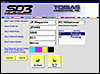 |
Simple Guided Setup
SD3 Guided Setup Wizard has a simple yet thorough display where the pressman
can complete all the information pertaining to their new print job |
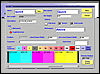 |
Create Custom Colorbars
Easily Setup most any colorbar with this TouchScreen activated interface.
Simply click on colors from a palette and easily place into colorbar. |
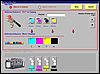 |
Assign inks to Colorbar
Pick inks from your customized ink catalogs where you have given individual
tolerances (including special colored inks) and place them into your
colorbar. |
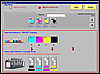 |
Establish Ink Order
In order to keep track of data particular to the press units you need to
identify which color ink is on which unit. |
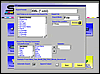 |
Customize your Export
Here you can select the type of export format and the naming convention
for it, as well as where you want the export stored. |
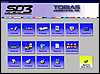 |
Maintenance Window
From this easy to navigate screen pressman can calibrate the SD3, create
new colorbars, pick the export format for SD3 data, assign passwords
for management/supervisor/pressman levels and much more. |
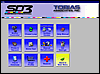 |
Utilities Window
This level gives the pressmen the ability to view Help Menus, go directly
to the Tobias Webpage to download updates, extract ink comsumption/savings
information for a particular job and set up various parameters for operating
the SD3. |
|


